Right after a site is registered in Search Console, SaaS teams often try to rewrite homepage titles too quickly. The better first move is to align the promise made in the search result with what the visitor sees in the first screen. A SaaS homepage receives mixed intent: branded searches, category searches, problem-aware searches, competitor-comparison searches, and people checking whether they can try the product before talking to sales.
This article focuses only on the SaaS homepage. It does not repeat the contact-page or general low-CTR workflow. The goal is to make the homepage work as the page that helps a visitor understand the product, trust the next step, and move toward free signup.
The Short Version: Show What the SaaS Does and What the Visitor Can Try Next
- In Search Console, split homepage queries into brand, problem, category, comparison, and pre-signup intent
- In the title and meta description, say who the SaaS is for and what recurring job it helps with
- In the first screen, repeat the same promise with the use case, audience, output, and next action
- Keep the primary CTA focused on free signup, then use surrounding copy to explain the first action after signup
- Use internal links to move deeper questions into help, blog, and contact pages
- In the early phase, review the queries that are starting to get impressions, not only the absolute CTR
Homepage CTR improvement is not about adding louder keywords. It is about helping the searcher decide, before and after the click, that this is the right kind of SaaS and that the next step is low-friction.
The Homepage Is a Decision Point, Not a Catch-All Page
A SaaS homepage should not carry every detail. Its job is to help visitors make three fast decisions.
| Decision | What the homepage should answer | Best deeper path |
|---|---|---|
| Is this for me? | target team, use case, and operational pain | practical blog articles |
| What does it do? | core use cases, outputs, notifications, integrations | help or product sections |
| Can I try it now? | free signup, first job, and setup requirements | /register and getting-started help |
For Stratum Flow, broad phrases like AI research or automation are not enough. The homepage has to show that the product supports recurring competitor research, market monitoring, public-web tracking, weekly reports, and team notifications.
Step 1: Split Homepage Queries in Search Console
Start by filtering Search Console to the homepage path, such as /ja or /en. Then classify the visible queries before rewriting anything.
| Query group | Examples | Why CTR drops | Fix first |
|---|---|---|---|
| Brand | stratum flow | the snippet does not explain what the product is | title and description |
| Problem | automate competitor research, SaaS competitor monitoring | the homepage sounds too broad | first screen |
| Category | AI research tool, market intelligence tool | differentiation is unclear | use cases and comparison paths |
| Comparison | alternative tool, competitor comparison | there is no link to practical evaluation content | blog links |
| Pre-signup | free signup, setup, how it works | the first action after signup is unclear | CTA and help links |
In a newly registered Search Console property, the data will be thin. That is fine. You can still check whether the query themes that are beginning to receive impressions match the search result promise and the homepage opening.
Step 2: Make the Search Result Promise Specific
The homepage title and meta description should not behave like a brand slogan. They should make a clear promise to the searcher.
| Element | Weak version | Better version |
|---|---|---|
| title | Stratum Flow | AI competitor research and market monitoring SaaS | Stratum Flow |
| description | Automate research with AI | Monitor competitor sites, pricing, releases, and industry news on a schedule, then turn findings into reports and notifications. Create your first job after free signup. |
| H1 | Make AI research easier | Run recurring competitor and market research jobs |
The point is not to stuff more terms into the snippet. The point is to make the product category, audience, and next action understandable before the click. When non-branded queries start to appear, the description should also make the free signup path believable.
Step 3: Fulfill the Promise in the First Screen
If the search result promises recurring competitor monitoring, the first screen should say the same thing. It should not open with a vague statement about productivity or AI.
| First-screen element | Role | Example |
|---|---|---|
| H1 | explain the SaaS in one line | Run recurring competitor and market research jobs |
| supporting copy | name the work and output | collect public information and turn it into reports, notifications, and team notes |
| primary CTA | show the low-friction next step | Sign up free |
| secondary CTA | help evaluation continue | See how it works, read practical examples |
| trust support | show what can be monitored | pricing, releases, news, help pages, blogs |
A button alone is not a signup path. The visitor also needs to understand what they can do right after signup, such as creating a recurring research job, adding a Seed URL, or reviewing a weekly report.
Step 4: Keep the Signup Path Singular, But Give It Context
On a homepage, too many primary actions split intent. Keep the main route focused on /register, then vary the context around that route.
| Visitor state | What to explain near the CTA | Destination |
|---|---|---|
| ready to try | free signup lets them create the first job | /register |
| wants setup clarity | the dashboard and basic settings are documented | Dashboard Overview and Basic Settings |
| unsure how to write the instruction | research instructions can be prepared before setup | How to Write Effective Research Instructions |
| unsure what source to monitor | Seed URLs can pin the source set | Seed URLs: Usage and Examples |
| needs a human answer | procurement, billing, or security questions go to contact | /contact |
The CTA copy can change by section, but the main destination should stay consistent. That makes it easier to measure whether homepage CTR improvements are also improving signup intent.
Step 5: Use Internal Links for Questions the Homepage Should Not Answer
Trying to answer everything on the homepage makes it harder to scan. Internal links should send visitors to the page that owns the next decision.
| Homepage question | Internal link | Role |
|---|---|---|
| How does competitor research automation work? | 5 Ways to Automate Competitive Research | explain the practical workflow |
| What happens after free signup? | First-Job Onboarding Guide After Free Signup | reduce setup uncertainty |
| How should help pages connect to signup? | How to Turn Help Pages Into Signup Paths With Internal Links and CTAs | expand the conversion path |
| When should someone contact sales or support? | How to Improve Contact-Page CTR in Search Console | separate human conversations from self-serve evaluation |
Avoid anchor text like "learn more." The link text should tell the visitor what decision the next page helps them make.
Common Mistakes
1. Making the homepage only a brand page
In the early phase, the brand usually does not create enough search demand by itself. The snippet needs to say what kind of SaaS this is, who it is for, and what the visitor can do after free signup.
2. Using a vague first screen
Terms like efficiency, automation, and AI are too broad. Show the actual work, the output, and the first action. That also makes Search Console changes easier to interpret.
3. Splitting the primary CTA across too many actions
If "contact us," "book a demo," "request materials," and "sign up free" all appear with equal weight, self-serve evaluators have to work harder. Keep free signup as the main route and send only human-needed conversations to contact.
4. Calling the test won or lost based on CTR alone
Higher CTR is incomplete if visitors do not move to registration or create a first job. Review Search Console CTR, /register clicks, free signups, and first-job creation together.
Practical Checklist
- classify homepage queries into brand, problem, category, comparison, and pre-signup groups
- put the audience and SaaS category in the title
- include the use case, output, and first action after free signup in the description
- make the first-screen H1 and supporting copy match the snippet promise
- keep the primary CTA focused on free signup
- use help, blog, and contact links for deeper decisions instead of overloading the homepage
- rewrite vague anchor text so each link explains what the visitor can decide next
- review CTR,
/registermovement, free signup, and first-job creation after 7 to 14 days
Summary
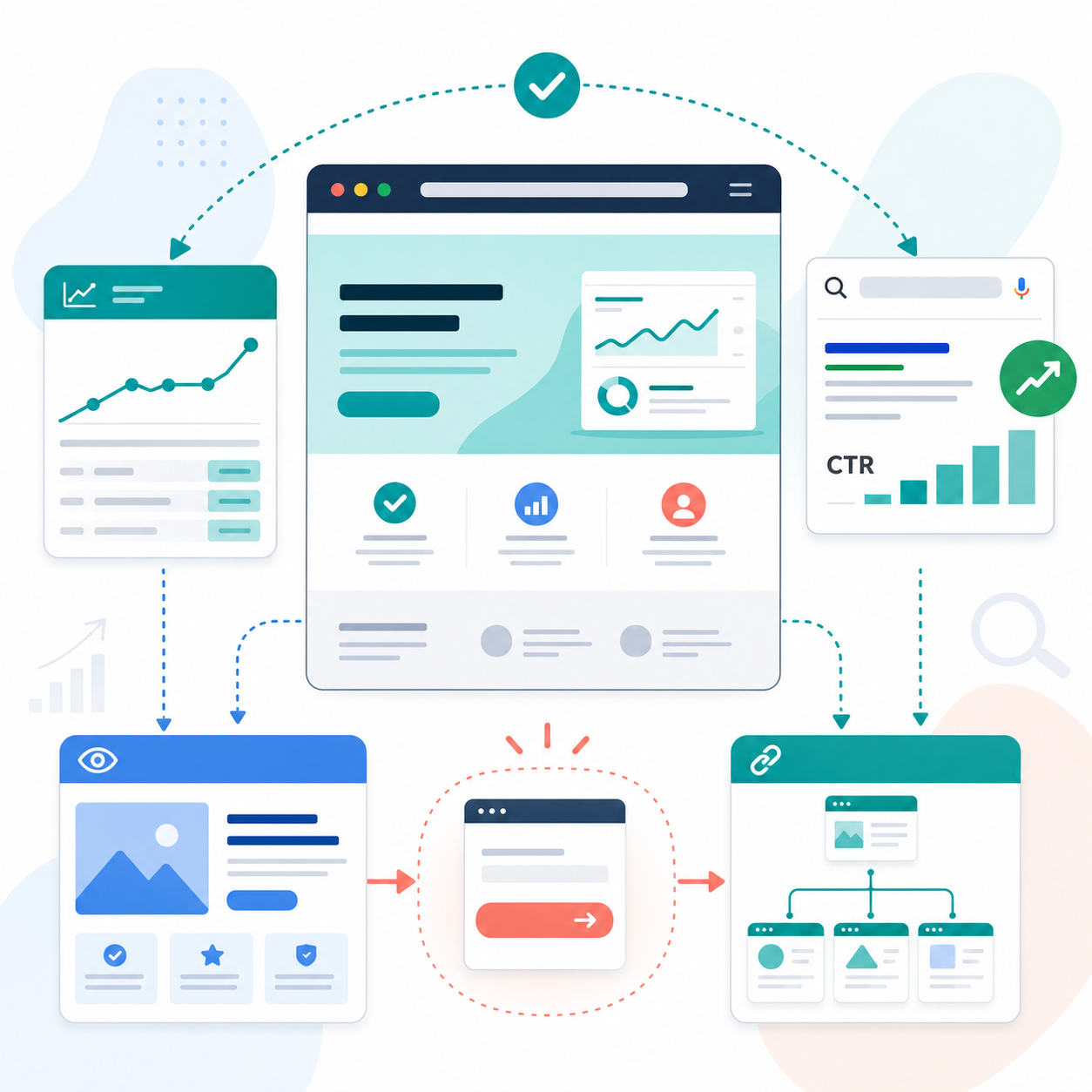
Improving SaaS homepage CTR requires more than a title rewrite. The search result promise, first screen, free signup path, and internal links need to support the same decision.
The homepage should not explain everything. It should help the visitor understand the category, use case, and first action after signup. When that path is clear, early Search Console data becomes easier to learn from and homepage traffic has a better chance of turning into free signups.
Next Step
Map the homepage title, description, first screen, CTA, and internal links in one table. Then check whether the search result promise leads naturally to free signup.
Sign up free and create your first recurring research job
Related Articles
- SaaS Homepage Internal Links for Signup, Help, and Contact
- Diagnose Homepage and Contact CTR by Page Role
- How to Improve High-Impression, Low-CTR Pages in Search Console
- Improve API Reference CTR by Matching Implementation Order
- How to Improve Contact-Page CTR in Search Console
- How to Turn Help Pages Into Signup Paths With Internal Links and CTAs
- First-Job Onboarding Guide After Free Signup