Competitor pricing changes are easy to miss when the workflow depends on someone remembering to open a pricing page. A plan table may change, a free tier may shrink, an annual discount may become more aggressive, or a sales CTA may quietly move from self-serve signup to "contact sales."
The hard part is not only detecting that something changed. The hard part is building a monitoring workflow that shows which source changed, why the change matters, whether it needs an alert, and how it should be reviewed later.
This article explains how to automate competitor pricing change monitoring from the source list through filtering, summaries, alerts, weekly review, and the first Stratum Flow setup. It is intentionally different from a weekly pricing brief workflow: the focus here is the monitoring system that keeps the pricing watch reliable.
The short answer: monitor a pricing system, not one pricing page
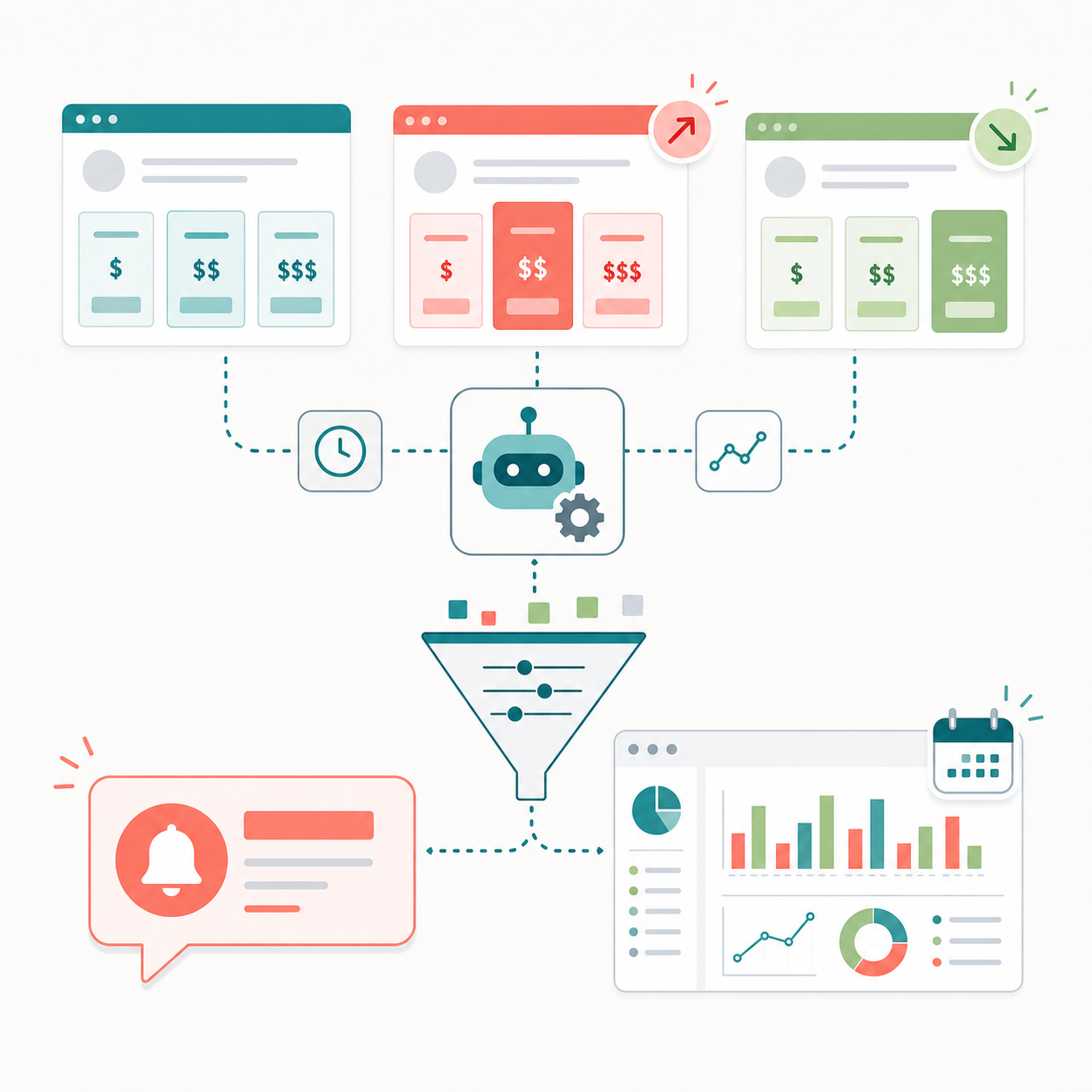
To automate competitor pricing change monitoring well, set up the workflow around five operating choices:
- monitor pricing pages together with pricing-adjacent sources
- group sources by what they can prove: price, packaging, conditions, positioning, or sales path
- filter changes by importance before they reach the team
- summarize every important change in a fixed structure
- split urgent alerts from calmer weekly review
This keeps the workflow useful even when competitors make many small edits. The goal is not to create a raw changelog. The goal is to produce a controlled stream of pricing signals that sales, product, marketing, and leadership can actually use.
Why pricing change monitoring needs a workflow
Manual pricing checks usually fail in predictable ways.
- the source list lives in someone's browser bookmarks
- only the main pricing page is checked
- FAQ, terms, and comparison pages are ignored
- small copy edits and major packaging changes are mixed together
- alerts are sent without a clear reason
- weekly reviews start from raw screenshots instead of structured summaries
That creates two problems at once. The team can miss important pricing moves, and it can also overreact to weak signals that do not deserve immediate attention.
Automation helps only when the workflow has rules. If you need the broader competitive research foundation before narrowing into pricing, start with 5 Ways to Automate Competitive Research. For pricing specifically, the first design task is deciding which source categories belong in the watch.
Step 1: define the source categories
A strong pricing watch does not treat every URL the same. Each source category answers a different question.
| Source category | Examples | What it helps detect |
|---|---|---|
| Core pricing | pricing page, plan table, pricing calculator | list price, plan count, annual discount, add-on pricing |
| Packaging | plan comparison, feature matrix, usage limits | feature movement between tiers, free-tier changes, limit changes |
| Commercial conditions | billing FAQ, terms, refund policy, cancellation page | contract terms, trial rules, billing friction, discount conditions |
| Positioning context | product pages, comparison pages, use-case pages | which buyer segment the pricing is being framed for |
| Sales path | CTA area, demo page, contact-sales page, enterprise page | shift toward self-serve, sales-led, or enterprise motion |
| Announcement context | release notes, changelog, campaign page, official blog | why the pricing or packaging change may have happened |
This structure prevents the watch from becoming "check the pricing table." A competitor may leave prices unchanged while moving key features into higher tiers. Another may keep plan names stable while changing trial conditions or pushing annual commitments harder.
The source categories should be stable enough to compare week to week. For a first pricing watch, start with the main pricing page, plan comparison page, billing FAQ, release notes, and one sales-path page for each priority competitor.
Step 2: set importance filters before sending anything to the team
Pricing monitoring becomes noisy when every visual or wording change is treated as a finding. Define importance filters before the automation starts routing output.
| Importance level | Pricing events | Typical handling |
|---|---|---|
| Critical | price increase or decrease on a primary tier, free-tier removal, abrupt plan consolidation | immediate alert plus weekly review |
| High | feature moved into a paid tier, annual discount changed, trial or usage limit changed | alert if active deals may be affected |
| Medium | pricing-page CTA shift, enterprise wording increase, new comparison claim | weekly review item |
| Low | minor copy edit, layout adjustment, isolated FAQ wording change | watchlist only unless repeated |
The filter should ask a practical question: could this change affect a near-term sales conversation, pricing review, packaging decision, or campaign message?
If the answer is yes, it may deserve an alert. If the answer is maybe, it belongs in weekly review or watchlist. If the answer is no, it should not interrupt the team.
Step 3: summarize each important change in a fixed structure
Raw diffs are useful for verification, but they are not enough for internal use. A pricing change summary should be short, repeatable, and source-backed.
Use this structure for every important item:
| Field | What to include |
|---|---|
| Change | the exact pricing, packaging, condition, or sales-path change |
| Source | the page or source category where the change was observed |
| Importance | critical, high, medium, or low, with a short reason |
| Likely meaning | what the change may signal about monetization, acquisition, retention, or segment focus |
| Suggested follow-up | who should check it and what decision area it affects |
For example, "Competitor A removed the free tier" is only the change. A usable summary says where it changed, whether the FAQ or signup path changed too, whether this affects active competitive deals, and whether sales or product marketing should update comparison material.
This is the monitoring layer. A separate weekly pricing brief can interpret multiple changes together, but the monitoring workflow should make sure each individual item is already clean enough to route.
Step 4: separate alerts from weekly review
Pricing changes can matter quickly, but not every pricing-related edit is urgent. The workflow should split alerts and weekly review as two different outputs.
| Output | Use it for | Format |
|---|---|---|
| Immediate alert | changes that can affect active decisions this week | one-line change, source, importance reason, review link |
| Weekly review | changes that need context, comparison, or pattern recognition | grouped source-backed summaries |
| Watchlist | weak or isolated signals that may matter later | short note with source and revisit condition |
Immediate alerts should be short enough for chat. Weekly review should be calm enough for comparison. Watchlist items should keep weak signals visible without pretending they are confirmed trends.
If your team wants the alert path in Slack or Teams, How to Route Competitor Monitoring into Slack or Teams covers the channel and message design. In this pricing workflow, the important rule is that the alert threshold should be stricter than the monitoring threshold.
Step 5: design the weekly pricing monitoring review
The weekly review is not the same thing as a weekly pricing brief. In this workflow, the weekly review checks whether the monitoring system is producing the right signals and whether any watchlist items are becoming important.
A practical review can use four sections:
- High-impact changes detected - items that passed the alert or high-priority threshold
- Pricing-adjacent changes - FAQ, packaging, CTA, or conditions changes that add context
- Patterns to keep watching - repeated signals across competitors or repeated movement from the same competitor
- Source list and filter adjustments - pages to add, pages to remove, and thresholds to tighten
This review keeps the monitoring setup healthy. It also gives the team a clean handoff into a strategy discussion when a real pricing pattern appears.
For a broader reporting structure after the monitoring output is collected, How to Turn Monitoring Results Into Weekly Team Reports is the better companion article.
Step 6: set up the first Stratum Flow pricing watch
Start with a narrow setup. The first job should prove that the source list, filters, and summaries work before you expand coverage.
1. Choose one pricing watch theme
Use a specific theme such as:
- pricing changes for three direct SaaS competitors
- free-tier and usage-limit changes in one category
- enterprise packaging and contact-sales movement
- annual discounting and billing-condition changes
Avoid combining every competitor and every pricing question into the first workflow.
2. Add seed URLs by source category
For each competitor, add the core pricing page first. Then add a small number of supporting URLs:
- plan comparison page
- billing or pricing FAQ
- release notes or changelog
- enterprise or contact-sales page
- one product or use-case page that frames the target buyer
This gives the automation enough context to distinguish a simple price edit from a broader packaging or sales-motion change.
3. Write monitoring instructions around importance
The instructions should tell Stratum Flow what to prioritize. For example:
- detect price, plan, tier, trial, discount, and usage-limit changes
- include pricing-adjacent changes only when they affect packaging, billing terms, or sales path
- classify importance as critical, high, medium, or low
- summarize each finding as change, source, importance reason, likely meaning, and suggested follow-up
- send only critical or high-confidence high-impact changes to alerts
These rules make the output easier to review and reduce the chance that minor layout changes dominate the workflow.
4. Run the first cycle manually before scheduling
Before making the watch recurring, run the first cycle and inspect the output. Check whether the source list is too broad, whether the importance threshold is too loose, and whether the summaries are specific enough for someone outside the research workflow.
Once the first output is readable, schedule it and decide where alerts and weekly reviews should land.
Common mistakes to avoid
1. Monitoring only the visible price number
The visible price is just one signal. Feature limits, trial rules, billing FAQ language, and contact-sales paths often explain the real pricing move.
2. Treating all pricing edits as urgent
Urgency should depend on impact, not topic. A free-tier removal may need an alert. A small FAQ wording change can wait for weekly review.
3. Ignoring the sales path
Pricing changes often arrive with changes in CTA language, demo routing, or enterprise proof points. Those changes can show whether a competitor is moving upmarket or trying to protect self-serve conversion.
4. Letting the source list drift
If the source list changes every week, the team cannot compare patterns. Add and remove sources intentionally during the weekly review.
Summary
Competitor pricing change monitoring works when it is treated as an operating workflow, not a one-page check. Monitor pricing pages together with packaging, FAQ, announcement, positioning, and sales-path sources. Filter changes by importance before they reach the team. Summarize each item in a fixed structure. Route urgent changes to alerts and leave lower-confidence signals for weekly review.
That is how pricing monitoring becomes a reliable input for sales, product marketing, product, and leadership decisions.
Next step
Try Stratum Flow for free and create your first pricing change monitoring workflow