Competitor monitoring often breaks down at the handoff point. Teams may collect useful changes, but if nobody knows where to look, what deserves attention, or what should happen next, the work stalls. In practice, the problem is less about data collection and more about how to make the work sustainable once changes start coming in.
This article is for teams that already have a monitoring workflow and now need a cleaner Slack or Teams handoff. It focuses on the last-mile design: which changes deserve real-time alerts, how to format messages, and how to hand the output into weekly review without flooding chat.
The short answer: send only important changes, in a fixed four-part format
If you want competitor monitoring alerts to stay useful, design them as a decision handoff rather than a raw feed.
- reserve real-time alerts for changes that can affect active decisions
- keep every alert in a fixed format: change, source, why it matters, where to review it
- choose Slack or Teams based on where the team already works, not on feature differences
- let alerts cover urgency and let weekly reports cover context
Why dashboard-only monitoring usually fades
Teams rarely stop monitoring because the topic loses value. They stop because the workflow depends on someone remembering to open the dashboard.
- nobody owns the daily check
- major and minor updates arrive with the same weight
- the findings do not move cleanly into product, sales, or marketing conversations
- interesting changes disappear into chat history before a meeting happens
That is why alerts matter. Their job is not to push everything into chat. Their job is to insert the important changes into a place where the team is already acting.
Step 1: define alert-worthy events before you pick a channel
The cleanest way to avoid noise is to classify changes by event type first.
| Change type | Good fit for immediate alerts | Why |
|---|---|---|
| pricing or packaging changes | yes | they can affect active deals and comparison work right away |
| major feature launches or general availability | yes | they may change product positioning or roadmap debate |
| small release note entries | usually no | they are easier to judge in a weekly comparison |
| hiring spikes or partnership news | sometimes | useful when they clearly signal a shift in investment |
| blog posts or minor copy edits | usually no | they need context more than speed |
The real filter is not "did something change?" It is "would this change what we do next?"
Step 2: decide the role of Slack or Teams in the workflow
Slack and Teams can both work. The better choice is usually the one that matches your current meeting and decision flow.
| Destination | Best for | Design choice |
|---|---|---|
| dedicated Slack channel | fast reactions across product, marketing, and sales | keep alerts short and send people to the report for detail |
| focused Slack project channel | small group review around one watch theme | use it for pricing, active competitors, or deal pressure |
| Teams meeting channel | organizations that already review documents and decisions in Teams | treat the alert as a bridge into scheduled discussion |
| Teams department channel | broader visibility with less need for real-time reply | optimize for discoverability, not speed |
The key rule is simple: put the alert where people already work. A separate destination just for monitoring usually gets ignored.
Step 3: lock the alert message into four fields
The webhook setup itself is straightforward once you have the structure. How to set up Webhooks (Slack, Teams, generic) covers the delivery side, but the message format is what keeps the workflow usable.
- What changed?
- Where did you see it?
- Why should the team care now?
- Where should someone review the details?
For example, a pricing alert should state which plan changed and why it affects deal conversations. A feature alert should say which buyer segment the change targets, whether comparison materials need updating, and if it changes roadmap debate or sales enablement.
Step 4: cut noise with three operating rules
Alert quality depends more on rules than on tooling.
1. Start with one or two watch themes
Do not begin with every competitor, every page, and every signal. Start with a narrow surface such as pricing or feature launches for two or three competitors.
2. Batch small updates by theme
Several minor edits in one day rarely deserve separate alerts. In many cases, a single summary alert is easier to use than a stream of tiny notices.
3. Separate alerts from weekly review
Immediate alerts should protect the team from missing urgent change. Weekly review should explain context, comparisons, and implications. If you ask alerts to do both jobs, they usually fail at both.
Step 5: hand alerts into reports and meetings
Alerts become valuable when they feed a repeatable review loop.
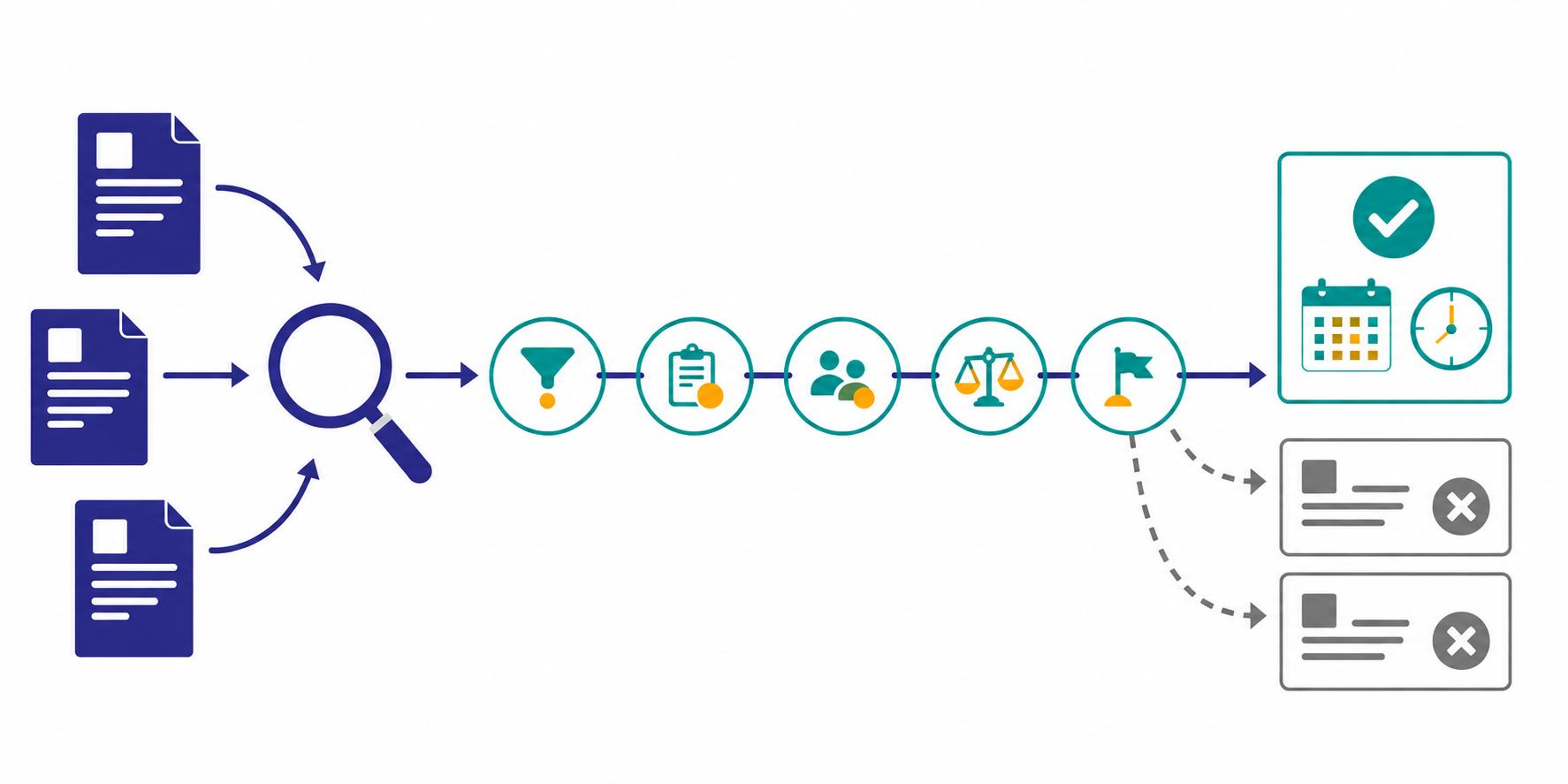
- monitor the target pages and detect changes
- send only the changes that pass the importance filter
- review the background and comparisons in the weekly report
- bring only change, implication, and next action into the team meeting
This structure turns alerts into the first step of decision-making instead of a disconnected stream of updates.
Common points of failure
1. The alert message is too long
If people need to scroll to understand the alert, it is already too late. Keep the alert short and move detail into the linked report.
2. The destination is too broad
An all-company channel makes sense only after you know which alerts are consistently useful. Start with the people who actually need to act.
3. No owner exists after the alert lands
If nobody is responsible for validating the change or carrying it into the next review, the alert becomes trivia instead of signal.
If you start this in Stratum Flow
In Stratum Flow, the cleanest setup is to define the importance criteria inside the monitoring job instead of trying to clean up noisy alerts after they land in chat.
- separate themes with different thresholds, such as pricing changes, launches, and hiring signals
- keep summaries in a fixed format: change, evidence, implication, next action
- let alerts handle urgency while the recurring report carries the comparison context
That keeps the workflow light enough for a small team while making the output easier for marketing, product, and sales to act on together.
Summary
Routing competitor monitoring into Slack or Teams works when you send important changes only, with a clear reason and a clear next place to look. The job is not to increase notification volume. It is to make sure meaningful change reaches the team at the right moment.
Start with one or two themes, define the threshold, and split immediate alerts from weekly review. That is usually enough to turn competitor monitoring from background reading into an operational signal.