Public-sector opportunities arrive as pre-solicitation notices, requests for information, tenders, amendments, Q&A documents, and award notices. A feed of notice titles is not enough. Before an opportunity reaches a sales owner, someone still has to check eligibility, response dates, delivery requirements, and contract terms.
This guide explains how to monitor public tender opportunities and turn new or changed notices into a first-pass bid / no-bid queue. It does not automate submission or replace the official procurement record. The goal is to reduce discovery and triage work before a qualified owner reads the source documents.
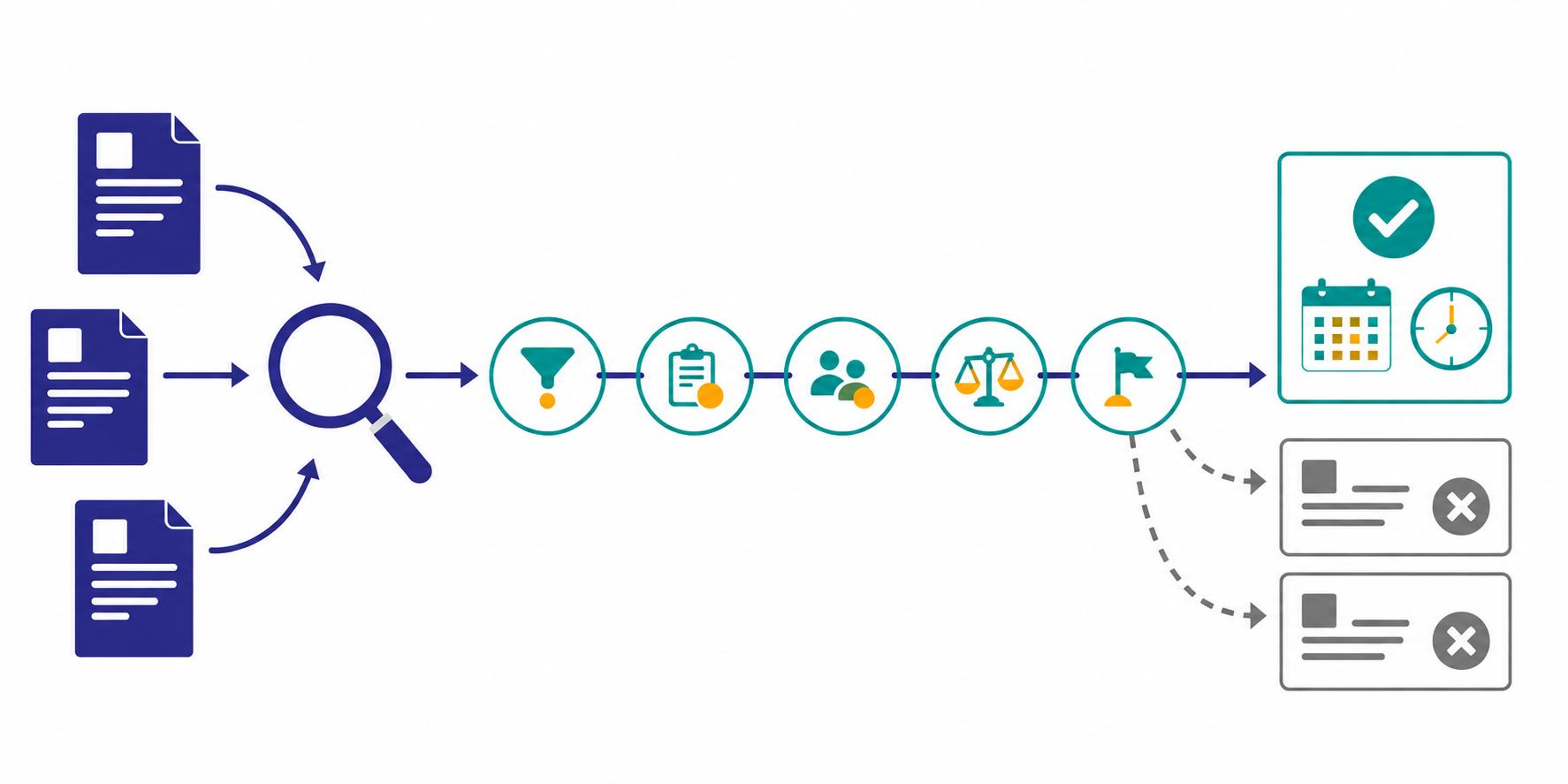
The short answer: screen every opportunity through five gates
- Fix the target buyers, notice types, service categories, and regions before collecting notices.
- Record question, registration, briefing, and response deadlines separately.
- Screen scope fit, eligibility, timing, delivery capacity, and commercial terms in that order.
- Treat amendments and attachment changes differently from new opportunities.
- Make the official portal and solicitation documents the final source of truth.
Automation should produce a smaller, structured review queue. It should not decide that your company is legally eligible, estimate the bid, or approve contract risk.
Why a tender alert rarely answers the bid question
One procurement system can contain several stages of the buying process. SAM.gov Contract Opportunities, for example, includes pre-solicitation, solicitation, award, and sole-source notices. Anyone can search without an account, while an account adds saved searches and the ability to follow opportunity changes.
The same opportunity can also change after publication. The official SAM.gov Opportunities API documentation says its search API returns the latest active version of an opportunity; historical versions are handled through separate data services. It also exposes filters such as notice type, title, classification, set-aside, posted date, and response deadline.
The practical problem is therefore not just discovery. A monitoring workflow must preserve the notice ID, distinguish a new notice from an amendment, and show which deadline or requirement changed.
Step 1: build a three-layer source map
Do not start with every procurement portal in every market. Separate sources by the decision they support.
| Layer | Typical source | Purpose |
|---|---|---|
| Discovery | National or regional opportunity portal | Find new notices that match broad filters |
| Buyer context | Agency procurement page or acquisition forecast | Understand buyer priorities and upcoming demand |
| Solicitation record | Notice, attachments, amendments, and Q&A | Confirm requirements, dates, and submission rules |
In Stratum Flow, each job accepts one Seed URL. Start with one buyer page or one public opportunity results page, then name the other official sources in the research instructions. Seed URLs: Usage and Examples also explains why dynamic pages or strong bot restrictions may require a normal keyword-search fallback.
Step 2: define inclusion and exclusion rules together
Keywords alone produce false positives. A notice may mention your service category without buying the work you actually deliver.
| Rule | Example |
|---|---|
| Buyer | agencies buying digital services, research, or cloud work |
| Notice stage | sources sought, pre-solicitation, solicitation, RFI |
| Service fit | SaaS, data integration, UX research, software delivery |
| Geography | remote delivery allowed or supported regions |
| Exclusions | product resale only, construction, mandatory on-site staffing |
| Minimum runway | enough business days for qualification and response planning |
An exclusion is a dated screening decision, not a permanent deletion. Keep the reason so the team can reassess if an amendment changes the scope or deadline.
Step 3: use a five-gate bid / no-bid screen
Check the least expensive disqualifiers first. If the scope is clearly outside your service line, there is no value in reading every attachment before closing the item.
| Gate | What to verify | First-pass outcome |
|---|---|---|
| 1. Scope fit | service line, past performance, contract vehicle | reject if clearly outside your work |
| 2. Eligibility | registration, set-aside, certifications, location | route unknowns to the compliance owner |
| 3. Timing | questions, briefing, intent, and response dates | reject or escalate if runway is too short |
| 4. Delivery capacity | staffing, security, place of performance, partners | identify gaps before pursuit approval |
| 5. Commercial terms | ceiling, evaluation method, IP, liability, payment | route to sales, finance, and legal owners |
Keep the machine-readable result conservative: pursue candidate, needs review, watch, or pass. A monitoring report should not declare the company eligible when the source documents are incomplete.
Step 4: normalize each notice into an opportunity card
A title-and-link alert makes the recipient repeat the research. Use the same fields every time.
Opportunity title / notice ID:
Buyer / notice type:
Published / last changed:
Scope summary:
Eligibility and required experience:
Question / briefing / intent / response deadlines and time zone:
Period of performance / ceiling when published:
What changed since the last check:
Five-gate result: pursue candidate / needs review / watch / pass
Open questions:
Owner candidate / internal review date:
Official source URL / checked at:
Do not compress all dates into “due date.” A question window or mandatory briefing can close before the proposal deadline. The card should make the next irreversible date visible.
Step 5: separate new, changed, and time-sensitive notices
The team should not have to compare two long summaries to discover that an attachment changed.
| Queue | Trigger | Expected action |
|---|---|---|
| New | first observation of a matching notice ID | run the five-gate screen |
| Changed | deadline, eligibility, scope, Q&A, or attachment changed | revisit the prior decision |
| Deadline risk | next mandatory date is inside the internal threshold | confirm owner and pursuit status |
| No match | no qualifying notices in the review period | preserve checked sources and dates |
Use built-in portal features first. SAM.gov, for example, supports saved searches and following opportunity changes for signed-in users. A Stratum Flow report is most useful when it adds a consistent qualification card and a cross-source weekly handoff rather than duplicating the official alert.
A research instruction you can adapt
Review the specified official buyer procurement page and the official opportunity portal.
Find notices first published or changed since the previous review.
Include sources sought, pre-solicitation notices, solicitations, RFIs, and amendments
for [service categories] in [regions or delivery conditions].

For each result, return the title and notice ID, buyer, notice type, published and changed dates,
scope, eligibility, question / briefing / intent / response deadlines, period of performance,
ceiling when officially published, changed fields, source URL, and open questions.

Screen scope fit, eligibility, timing, delivery capacity, and commercial terms.
Label the result pursue candidate / needs review / watch / pass.
Do not infer eligibility, legal meaning, or missing dates. Mark them for source-document review.
If nothing qualifies, list the sources and review period and return “no matching notices.”
How to Write Effective Research Instructions explains how to keep the output fields and evidence requirements stable across runs.
Common pitfalls
1. Treating a title match as a qualified opportunity
Similar titles can hide different contract vehicles, security requirements, or delivery models. Discovery and qualification are separate steps.
2. Recording only the proposal deadline
Questions, site visits, briefings, and intent-to-bid dates may close earlier. Track each mandatory date and its time zone.
3. Ignoring amendments and replaced attachments
Requirements and deadlines can change after publication. Use the notice ID as the key and report changed fields separately from new notices.
4. Treating an AI summary as the procurement record
The opportunity card is an intake document. Confirm eligibility, submission instructions, and contract terms in the official portal and solicitation package.
When Stratum Flow fits—and when it does not
Stratum Flow fits the research layer when a team wants to:
- review one buyer or service category on a recurring schedule;
- send sales a five-gate screen instead of a raw notice feed;
- retain source URLs, check times, and amendment notes;
- distinguish “no matching notices” from a missed review.
It is not a substitute for authenticated document access, portal registration, electronic submission, proposal writing, pricing, or legal review. Start with one buyer, one service category, and one weekly review. Dashboard Overview and Basic Settings covers the first job setup.
Summary
Public tender monitoring works when it reduces a large notice stream to a dated, source-backed review queue. Screen scope fit, eligibility, timing, delivery capacity, and commercial terms, then hand the official documents to the owner who can make the pursuit decision.
Next step
Try a weekly opportunity-monitoring job for one buyer and one service category